
Fileconvertor
Convert and compress files on your own PC. Nothing is uploaded.
- No uploads, no account needed to convert
- Works offline for PDF, Word, Excel, CSV, images and more
- 24-hour free trial, then $4.99 once (₹229 in India)
The Windows installer is not publicly available yet. Tell us you are interested and we will send you the download as soon as it is ready.
What is Fileconvertor?
Fileconvertor is a Windows desktop app by Andvexo Technologies that converts and compresses PDF, Word, Excel, PowerPoint, CSV, JSON, text and image files entirely on your own computer. Files are never uploaded, no account is needed to convert, and conversions work without an internet connection. It is free to try for 24 hours, then free for 3 conversions a day, or a one-time purchase of $4.99 (₹229 in India) unlocks it for good.
- Publisher
- Andvexo Technologies
- Platform
- Windows 10 and 11 (64-bit)
- Version
- 0.1.0
- Installer size
- About 15 MB
- Where files are processed
- On your computer; nothing is uploaded
- Price
- 24-hour free trial, then $4.99 once (₹229 in India)
- Free plan
- 3 conversions per day after the trial
- Refunds
- 7 days
- Last reviewed
- 23 November 2026
About Fileconvertor
Fileconvertor is a desktop app for Windows that converts and compresses everyday files without sending them anywhere. Documents, spreadsheets, images and PDFs are read, transformed and saved on your own computer.
It lives as a small floating orb on your desktop. Drop a file on the orb, pick the format you want from the menu that opens around it, and the converted file is saved next to the original, or in a folder you choose. A file that already exists is never overwritten: the new file gets a number, such as report (1).pdf.
It is built for people who handle contracts, CVs, financial sheets and other files they would rather not upload to a website, and for anyone who wants a converter that keeps working without an internet connection.
How Fileconvertor works
Step 1
Drop a file on the orb
Drag any supported file onto the floating orb, or click the orb to browse for one.

The idle orb: drop a file on it or click it to browse. Step 2
Choose the format you want
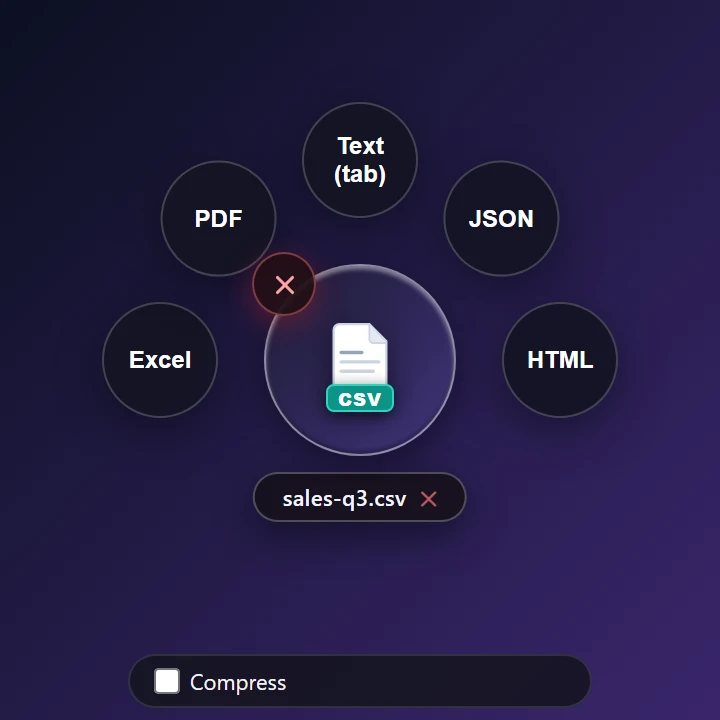
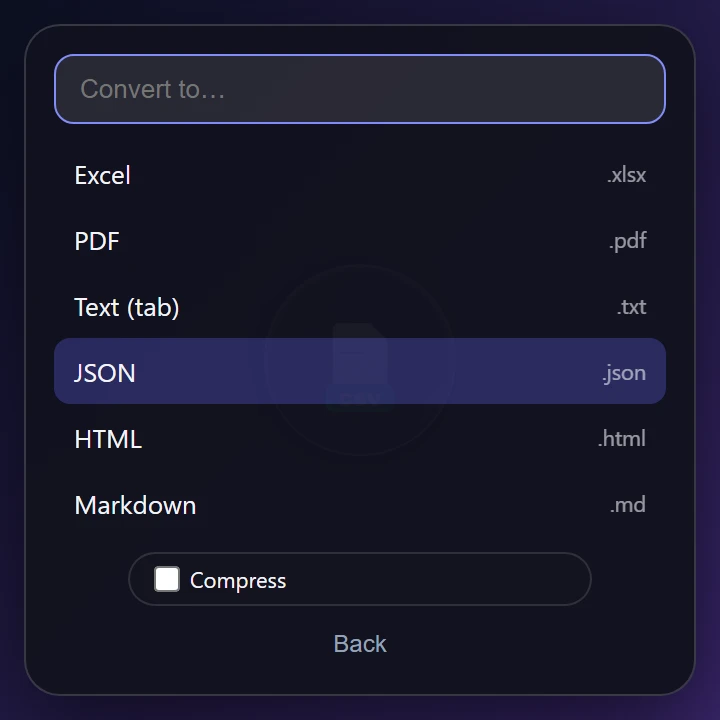
The formats that file can become open around the orb. Click the orb for a searchable list of all of them.
Drop a CSV and the formats it can become fan out around the orb. Step 3
Optionally compress or cap the size
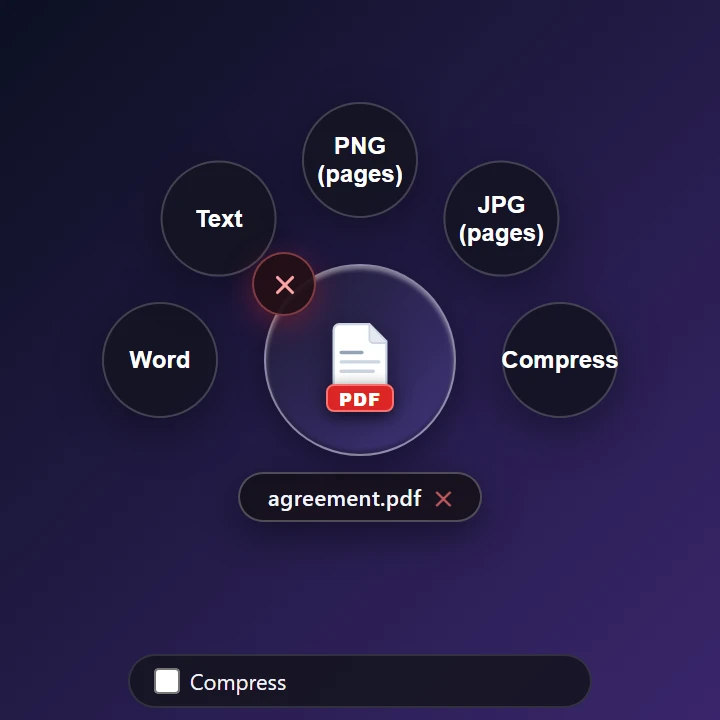
Tick Compress to set a quality, and optionally a maximum size in KB. Fileconvertor lowers quality first, then resolution.
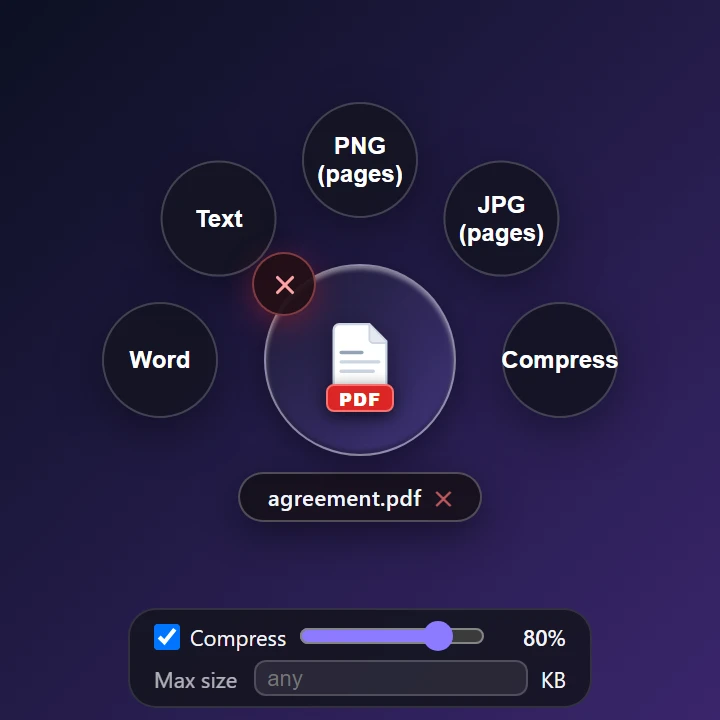
Compress options: a quality slider and an optional maximum size in KB. Step 4
Collect the result
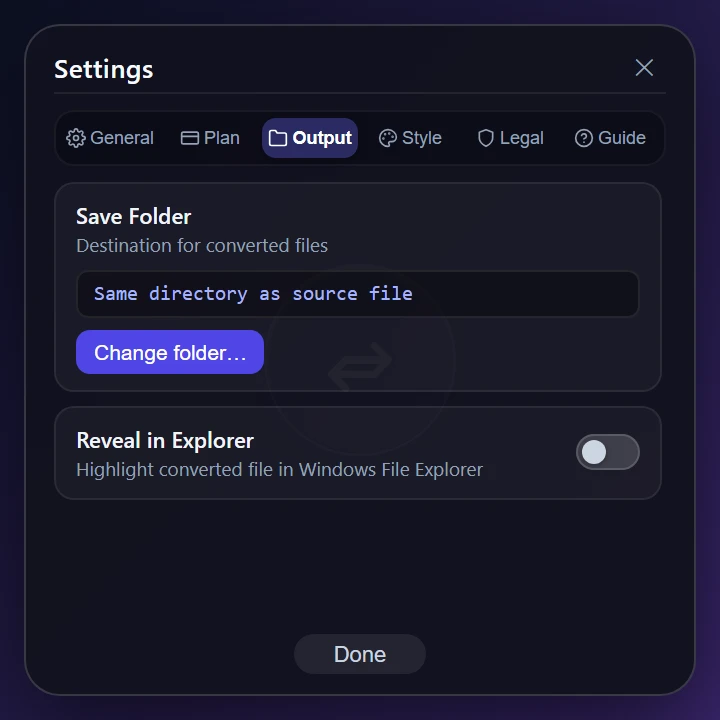
The converted file is saved next to the original, or in the folder you chose in Settings. An existing file is never overwritten.
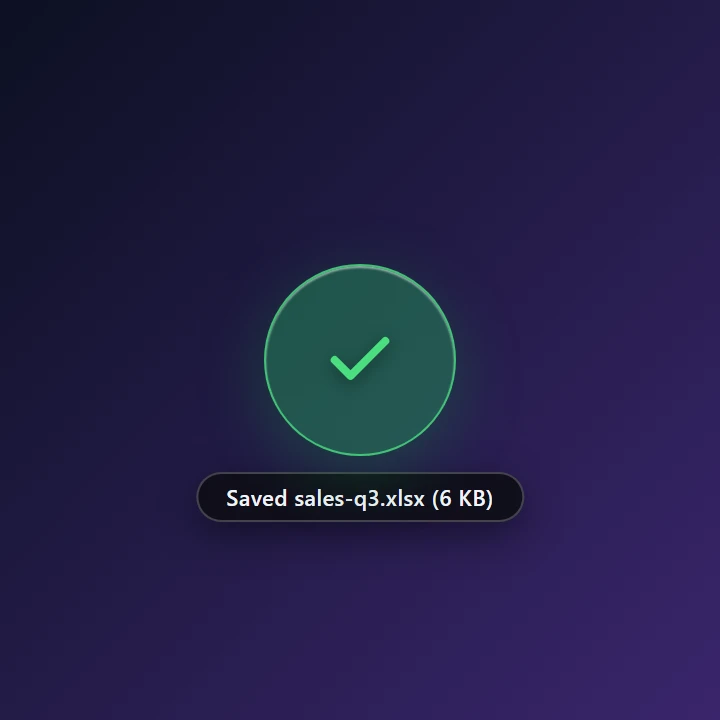
When the conversion finishes, the orb confirms the saved file name and size.
What it does
Runs on your computer
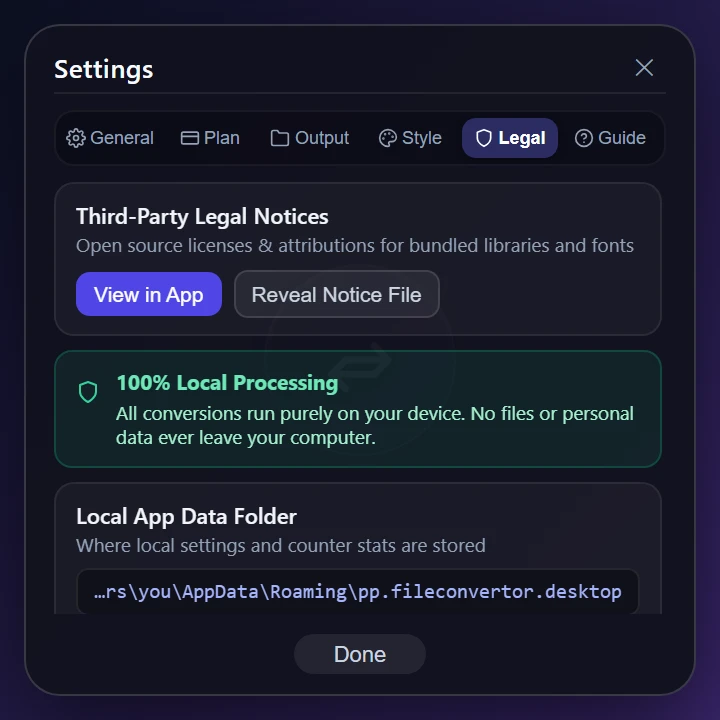
Conversion engines run locally. Your files are not uploaded to any server, and the app sends no usage analytics or telemetry.
Drop, pick, done
Drop a file on the floating orb or click it to browse. The formats the file can become open around the orb, with a search palette for the full list.
Documents
PDF to Word and text, Word to PDF, text, HTML, Markdown and Excel (tables), PowerPoint to PDF and text, text and Markdown to PDF and Word.
Spreadsheets and data
CSV and Excel in both directions, plus CSV, Excel and JSON to JSON, HTML, Markdown or tab-delimited text.
Images and PDF pages
Convert between PNG, JPG, WebP, GIF, BMP, TIFF and ICO, turn an image into a PDF, or export every page of a PDF as PNG, JPG, WebP, TIFF or BMP.
Compress to a target size
Shrink PDF, Word, Excel, PowerPoint, PNG and JPG files with a quality slider, or cap the result at a size in KB.
Never overwrites your files
If a file with the same name exists, the new one is saved as name (1).ext instead of replacing it.
Fair licensing
A 24-hour full trial, then 3 free conversions a day, or a one-time unlock with a 7-day refund. No subscription.
Supported file formats
Every conversion runs on your computer. This is what each kind of file can become.
| You have | You can get |
|---|---|
| Images (PNG, JPG, GIF, BMP, ICO, TIFF, WebP) | Any of the other image formats, or a one-page PDF. PNG and JPG can also be compressed. |
| Spreadsheets (XLSX, XLSM, XLS, XLSB, ODS) | CSV, tab-delimited text, JSON, HTML, Markdown. XLSX and XLSM also to PDF. |
| CSV | Excel (XLSX), PDF, tab-delimited text, JSON, HTML, Markdown. |
| JSON | Excel (XLSX), CSV, HTML, Markdown. |
| Plain text (TXT) | PDF, Word (DOCX), Excel (XLSX), CSV. |
| Markdown and log files | PDF, Word (DOCX), plain text. |
| Word (DOCX) | PDF, text, Excel (tables only), HTML, Markdown. Can also be compressed. |
| PowerPoint (PPTX) | PDF, text. Can also be compressed. |
| Word (DOCX), text, or page-by-page images (PNG, JPG, WebP, TIFF, BMP). Can also be compressed. |
Private by design
Fileconvertor converts files with engines that run on your computer. Your files are not uploaded, there is no server copy, and the app sends no usage analytics or telemetry.
The only network traffic is licensing: buying an unlock, checking the licence key, and requesting a refund. Conversions never need a connection.
Fileconvertor compared with online converters
| Fileconvertor | Typical online converter | |
|---|---|---|
| Where your file is processed | On your own computer. | On the provider’s servers, after you upload it. |
| Internet needed to convert | No. Internet is only used to buy or check a licence. | Yes. |
| Account to convert | None. | Varies by service, often required for larger jobs. |
| Copy left on someone else’s server | None, because nothing is uploaded. | Depends on the provider’s retention policy. |
| Pricing | 24-hour trial, 3 free conversions a day, then $4.99 once. | Varies: free tiers with caps, or a subscription. |
Pricing
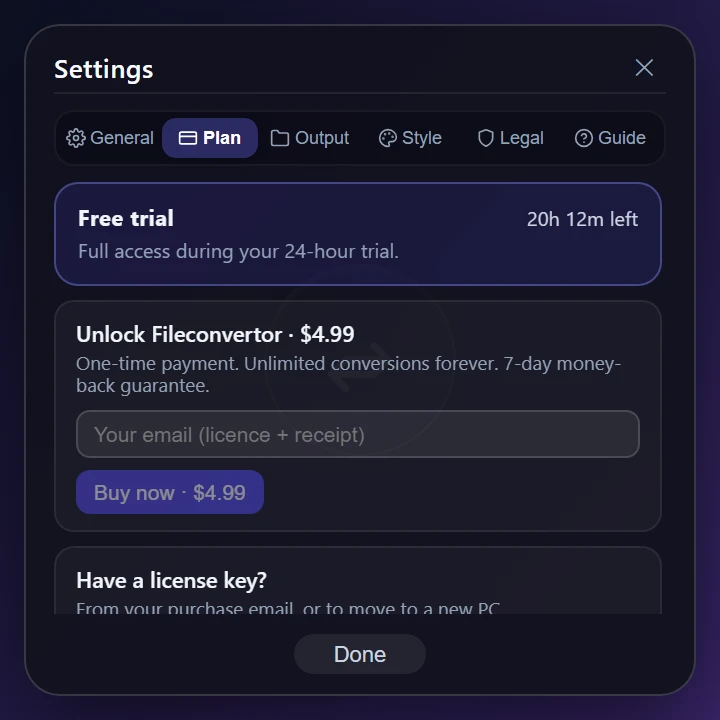
Free trial
Everything unlocked for the first 24 hours.
Free plan
3 conversions a day after the trial, with a small text promotion strip in the app.
Lifetime unlock
$4.99 once (₹229 in India) for unlimited conversions. No subscription, and a 7-day refund. Licences can be deactivated to move to another PC.
Limits, and what it does not do
We would rather you know before you install. These are the current limits of Fileconvertor.
- It works on one file at a time.
- PDF to Word works for PDFs that contain real text, with best-effort layout. Scanned, image-only PDFs are refused with a clear message.
- Encrypted PDFs cannot be turned into page images.
- Older .doc and .ppt files are not supported. DOCX, PPTX, XLSX, XLS, XLSB and ODS are.
- Word to HTML or Markdown keeps headings, bold, italic, underline, bullet lists and tables, but not images, fonts, colours or page layout. Numbered lists become bullets.
- Spreadsheet and CSV to JSON, HTML or Markdown use the first sheet, and treat the first row as the column names.
- CSV and XLSX to PDF is memory-hungry on very large sheets. Split a huge sheet first.
- Compression is best effort. Text-only documents barely shrink. If your size target cannot be met, Fileconvertor saves the smallest result it reached and tells you.
- Built-in safety limits: PDFs up to 250 MB and 300 pages, images up to 250 MB, 16,384 × 16,384 pixels and 100 megapixels, spreadsheets up to 200,000 rows, 2,000 columns and 5 million cells, and JSON files up to 50 MB.
- There is no macOS, Linux, Android or iOS version yet.
System requirements
- Windows 10 or Windows 11, 64-bit (x64).
- 4 GB of RAM minimum; 8 GB or more is recommended for large PDFs and high-resolution images.
- A display of at least 1024 × 768.
- Microsoft Edge WebView2 Runtime. It is included with Windows 11; if it is missing the installer downloads it, which needs an internet connection once.
- About a 15 MB download and about 56 MB installed. The installer runs for the current user and does not need administrator rights.
Frequently asked questions
Who makes Fileconvertor?
Fileconvertor is built and published by Andvexo Technologies, a creative technology company that designs and builds websites, apps and digital products. It is one of Andvexo’s own products, alongside its client work. You can reach the team through the contact page.
Does Fileconvertor upload my files?
No. Conversion happens on your computer and your files are never sent to a server. The app also sends no usage analytics or telemetry. It only goes online to buy a licence or check one.
Does Fileconvertor work offline?
Yes, conversions need no internet connection. A paid licence is re-checked about every 15 minutes while you are online and keeps working offline for up to 30 days. Installing needs internet once only if WebView2 is missing.
Which file formats can Fileconvertor convert?
It converts between PDF, Word (DOCX), Excel (XLSX, XLS, XLSB, ODS), CSV, JSON, text, Markdown, HTML, PowerPoint (PPTX) and the image formats PNG, JPG, WebP, GIF, BMP, TIFF and ICO. It can also turn a PDF into page-by-page images and compress PDF, Office and image files.
Is Fileconvertor free?
You get a 24-hour full-featured trial, then 3 free conversions per day. A one-time purchase of $4.99 (₹229 in India) removes the daily limit permanently. There is no subscription and you can request a refund within 7 days.
Which versions of Windows does it support?
Fileconvertor is built for 64-bit Windows 10 and Windows 11. It needs the Microsoft Edge WebView2 Runtime, which Windows 11 includes. It is not available for macOS, Linux, Android or iOS yet.
Can Fileconvertor convert PDF to Word offline?
Yes, for PDFs that contain real text. It extracts the text and rebuilds an editable Word document with best-effort layout. Scanned PDFs that are only pictures of pages are refused with a clear message, because they contain no text to extract.
How do I shrink a file to a specific size?
Tick Compress, set a quality, and optionally enter a maximum size in KB. Fileconvertor lowers quality first, then resolution. If it cannot reach your target it saves the smallest result it managed and says so.
Will Fileconvertor overwrite my original file?
No. The converted file is saved beside the original, or in your chosen output folder. If a file with that name already exists, the new file is saved with a number, such as report (1).pdf, so nothing is replaced.
What are the size limits?
PDFs up to 250 MB and 300 pages, images up to 250 MB and 100 megapixels, spreadsheets up to 200,000 rows, 2,000 columns and 5 million cells, and JSON files up to 50 MB. They protect your computer from running out of memory.
Facts on this page were last reviewed on . Fileconvertor is made by Andvexo Technologies. Questions? Contact us.